

- I. Self Comparison
- II. Similar Homes Comparison
I. Self comparison APIs
Self comparison APIs allow the user to compare his own consumption at different time intervals over a given period. This service also includes a weather module and a tariff study to help the user explain changes in electrical consumption or budget. Thanks to this weather module, the user knows if the change in weather temperature can explain the change in energy consumption he observed. See below an example of the integration of this API. Self comparison APIs are separated between fluid types :- I.1. Elec
- I.2. Gas
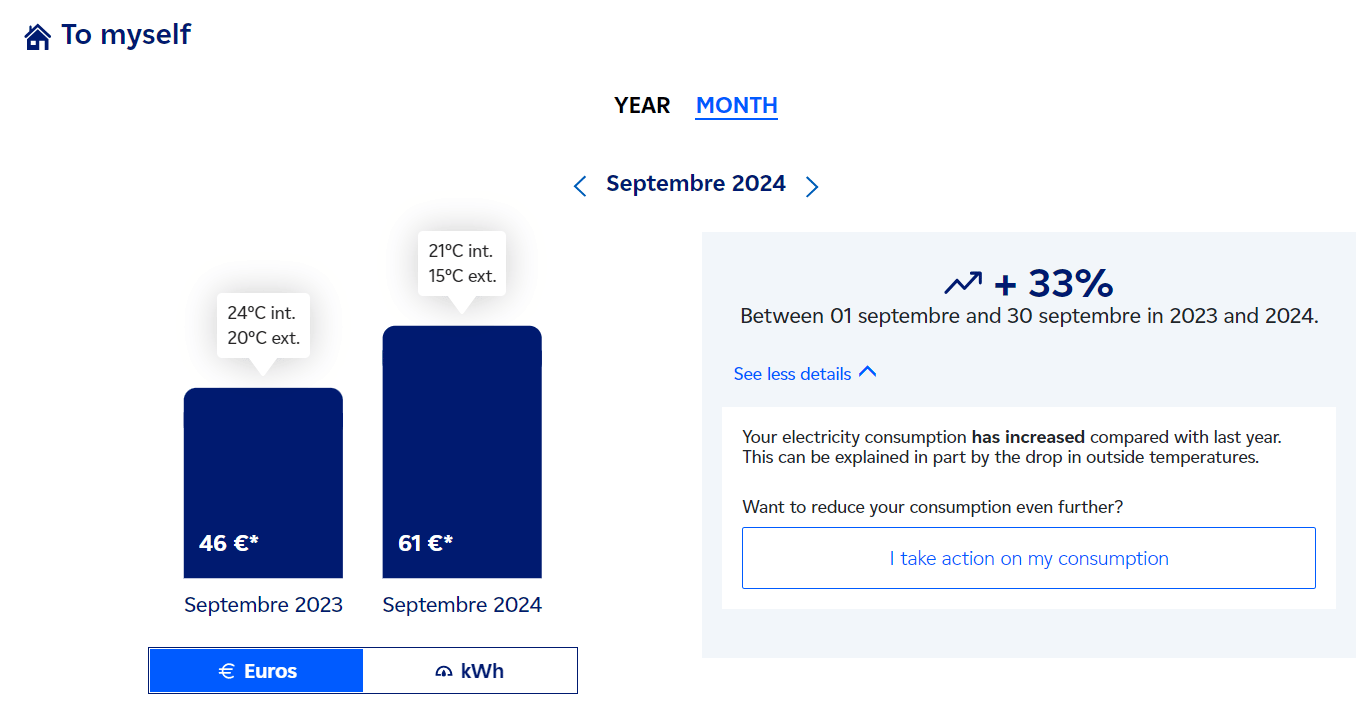
Fig 1: Example of self-comparison API integration
I.1. Electrical self comparison API: monthly & yearly comparison
The endpointGET /api/v1 /sites/{site-id}/consumptions-self-comparison provides the difference in electrical consumptions and costs between two periods (selectedPeriod vs. referencePeriod)
API link. (Parameters, Body request, responses, errors and examples are described in it.)
Self-Comparison API allows you to implement features that provide your end-user the possibility to compare their electricity consumption between two distinct time periods at this moment.
This API can handle different comparison steps according to the user’s requirements (daily, weekly, monthly or customized period).
This API takes 6 parameters among which one is optional.
To run the self comparison, you need to
- Choose a period to analyze (
selectedPeriod) and a reference period (referencePeriod) to compare to. - Fill in the fluid type =
ELEC - Choose the comparison strategy (
SHORTEST_PERIOD_LENGTHorSAME_DAYS_MONTH)
Example
For example, if you run this APIGET/api/v1/sites/qdsfgxhjcklregdfv/consumptions-self-comparison?fluid=ELEC&strategy=SHORTEST_PERIOD_LENGTH&selectedPeriodBeginTs=2023-01-06'T'00:00:00&selectedPeriodEndTs=2023-01-16'T'00:00:00&referencePeriodBeginTs=2022-01-16'T'00:00:00&referencePeriodEndTs=2021-01-16'T'00:00:00' \
You’ll get the result below. The most important block is “differenceRate” that will give you the currency difference rate and energy difference rate between selected period and reference period in percent:
I.2. Gas self comparison
Gas self comparison APIs are separated into 2 different APIs : a yearly and a monthly comparison oneI.2.1. Gas yearly comparison
The endpointGET /api/v1 /sites/{site-id}/yearly-gas-energies-comparisons provides the difference in gas consumptions and costs between two years (selectedPeriod vs. referencePeriod)
API link.
To run the yearly gas comparisons, 2 parameters are required : the site identifier (site-id) and the list of years to be compared (years)
Note that to be able to run a comparison for a given site, the latter needs to have complete consumption during selected period, i.e. a cosumption which measurement has been validated and received.
Besides, the list of years can take more than two years. The first year of the list will be the comparison year. For example with the list : (2022,2023,2024), the comparison is done between 2023 and 2022 and between 2024 and 2022
Example
For example, if you run the query :GET /api/v1 /sites/330b402e-68f0-48dd-b065-5353063f3017/yearly-gas-energies-comparisons?years=2023,2024
You’ll obtain the result below. The most important block is energyDifferenceRate that will give you the currency difference rate and energy difference rate
I.2.2. Gas monthly comparison
The endpointGET /api/v1 /sites/{site-id}/monthly-comparisons provides the difference in gas consumptions and costs between a month and this same month the previous year (selectedPeriod vs. referencePeriod)
API link.
To run the yearly gas comparisons, 3 parameters are required : the site identifier (site-id), the fluid type and the year to be compared (year)
Note that to be able to run a comparison for a given site, the latter needs to have complete consumption during selected period, i.e. a cosumption which measurement has been validated and received.
Example
For example, if you run the queryGET /api/v1/sites/330b402e-68f0-48dd-b065-5353063f3017/monthly-comparisons?year=2024&fluid=GAS
You’ll obtain the result below. The most important block is energyDifferenceRate that will give you the cost difference rate and energy difference rate
II. Similar home comparison APIs
Similar home comparison APIs allow you to implement features that provide your end-user the possibility to compare their electricity consumption to similar homes. This is made possible by choosing a list of criteria that define what similar homes are. Those criteria are configurable and pre-configured during onboarding installation and are based on user profile (e.g. department, sanitory hot water type, contract, etc.). See below an example of the integration of this API: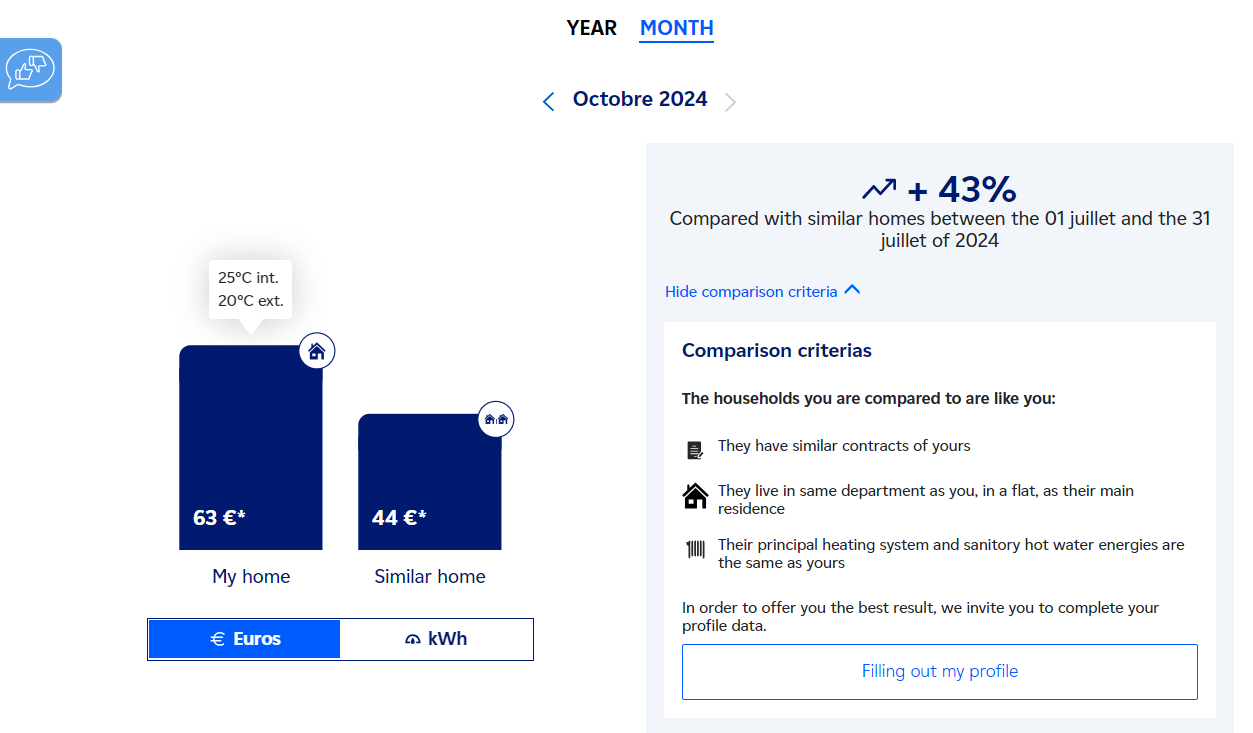
Fig 2: Example of similar-home comparison API integration
- Yearly Elec comparison : API to compare electrical consumption for a selected year with similar homes
- Yearly Gas comparison : API to compare gas consumption for a selected year with similar homes
- Monthly Elec comparison : API to compare electrical consumption for a selected month with similar homes
- Monthly Gas comparison : API to compare gas consumption for a selected month with similar homes
II.1. Yearly comparison
The two yearly endpoints are :GET /api/v2/sites/{siteId}/similar-home-yearly-gas-comparisonsGET /api/v2/sites/{siteId}/similar-home-yearly-elec-comparisons
site-id) and the Year of the beginning of the comparison (begin-year)
Note that to be able to run a comparison for a given site, the latter needs to have complete consumption during selected year, i.e. a cosumption which measurement has been validated and received.
Example
For example, if you run the queryGET /api/v2/sites/330b402e-68f0-48dd-b065-5353063f3017/similar-home-yearly-elec-comparisons?begin-year=2021
You’ll obtain the result below, which contains useful information like the “percentComparison” object that will give you average diffence between client consumption and similar homes in percent. Moreover, the object “comparisonCriteria” displays all criteria used for the comparison :
II.2. Monthly comparison
The two monthly endpoints are :GET /api/v2/sites/{siteId}/similar-home-monthly-gas-comparisonsGET /api/v2/sites/{siteId}/similar-home-monthly-elec-comparisons
site-id), the begin month (inculded) and end month (excluded) for the comparison data period(begin-month, end-month)
Note that to be able to run a comparison for a given site, the latter needs to have complete consumption during selected period, i.e. a cosumption which measurement has been validated and received
The API will respond with all months between the begin month and end month. Watch out, the begin mointh is included whereas the end month is excluded. So for exemple if we set end-month=April, the selected period will end on March 31st.
Example
If you run :GET /api/v2/sites/330b402e-68f0-48dd-b065-5353063f3017/similar-home-monthly-gas-comparisons?begin-month=2023-01&end-month=2023-06
You’ll obtain the result below which includes useful information like percentComparison object that will give you average diffence between client consumption and similar homes in percent.